

Help your guests feel at home by sharing your favorite spots around town. Whether it’s a cozy café, a local market, or a must-see attraction, this section lets you choose a personalized local guide they’ll love.
Add a Recommandation
To add a recommendation to your guide, simply click on “+ Add a Recommendation“.
You can add recommendations to your guide in two simple ways, either from our database of suggested places with pre-filled information, or manually enter your own favorite spots for a personal touch.
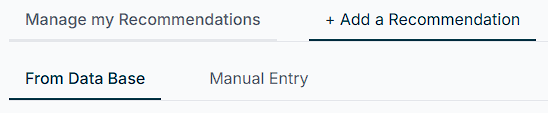
Find Places Around Your Property From the Database
To refine your search, use filters by categories, choose from four types and a variety of types to tailor the recommendations and build a guide that truly fits your guests’ needs.


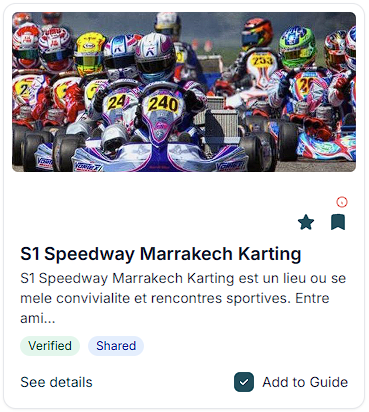
Then, you can choose a recommandation just by clicking in the ‘Add to the Guide’ case.
Add Your Own Recommendation
If you know a place that doesn’t appear in our database, you can add it through the “Manual Entry” section. Start by entering the name of the location, then provide all the relevant details, such as its address, photos, contact information, and description. Finally, select the most appropriate category and type for your entry.
Then, you can choose to Save or Save for Later if you plan to edit your entry later.
Filter Your Recomandations
To make your search easier, you can sort recommendations by rating, features, favorites, or distance.
If you are fond of a place, you can:
- Add to Favoris: Simply click on the star icon to mark a recommendation as a favorite and place it in the top of your recommendation list when you will look for places.
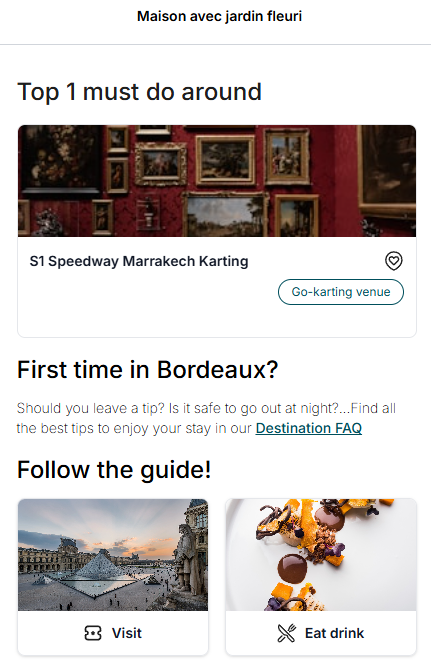
- Bookmarks: By clicking the bookmark icon, you pin the recommendation directly to the guide dashboard of your property guide, making it easily accessible for your guests.
Manage your recommandations
You can easily add any recommendation to your Favorites or Bookmarks to highlight them in your guide. Each recommendation displays its category and type for better organization.
Want to share it with another property?
Just click on “+ Add to” and select the property you’d like to assign it to.
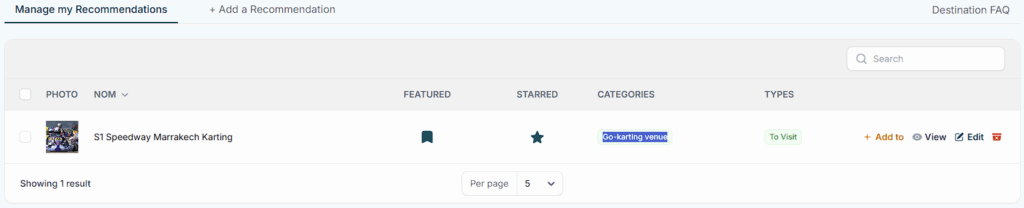
Need to update or refine a recommendation?
Simply click on the Edit option to make changes. From the Edit tab, you can modify or complete the following information:
- Name of the recommandation
- Category and type
- Address and location
- Contact details
- Picture
- Description of the place
- Associated filters
This allows you to keep your guide accurate and tailored to your guests needs.