

InnovGuide lets you securely generate, view, update, and delete API keys for integrations with external services such as smart device platforms or third-party applications.
Create a New API Key
To start using InnovGuide’s API, you first need to generate an API key:
- Go to the Settings tab.
- Click on API.
- Enter the name of your key.
- Click New API Key.

View and Manage Your API Keys
All your existing keys are listed in the Current API Keys. For each key, the following details are displayed:
- Name: The name of the API key
- Created at: The date the key was generated.
- Last used at: The most recent time this key was used.
You also have several actions available:

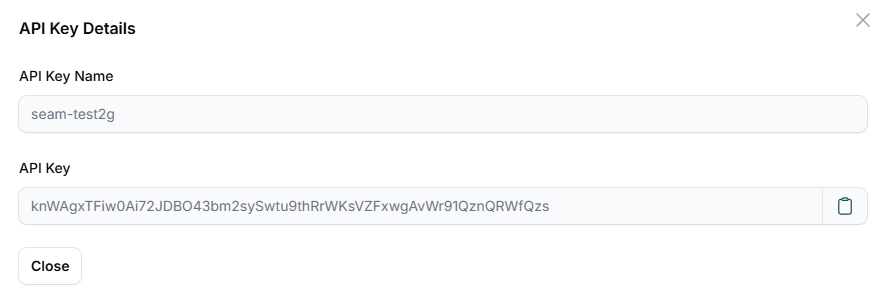
View
This option lets you access key information, which includes the API key’s name and the URL it’s linked to.
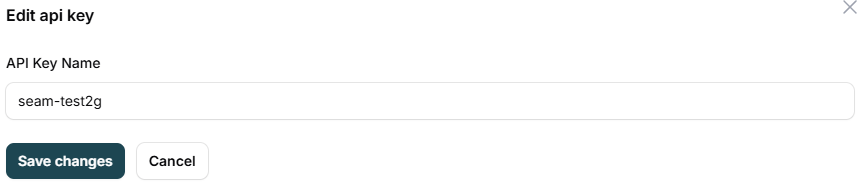
Edit
Here, you can modify the permissions of the API key.
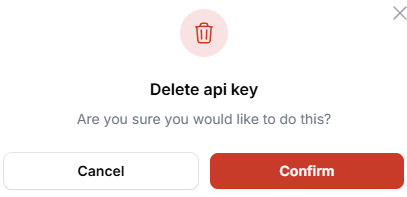
Delete
Easily delete the API key with a single click. To prevent accidental deletions, a double confirmation is required before removing the API key.
Search for an API Key:
Use the search bar to easily locate any API key by name or other identifying information.

Manage your API keys easily and securely with InnovGuide. Create, edit, view, and delete keys to control your integrations while keeping your connections safe and efficient.