Easily keep track of every guest and booking from one convenient place.
From updating personal details to adjusting check-in times, you’ll have all the tools you need to manage your reservations smoothly and give your guests the best possible experience.
Quickly View Guest Details and Property Guide
To easily access your guest’s information, simply click on the guest’s name. From there, you can view their full profile, update their details if needed, and track all their past bookings.

To explore all the features available for managing your guests, check out our dedicated article: Centralize and Manage your Guest List
To see how your digital guide looks to guests, just copy the link and open it in a new browser tab, it’s that simple!
View and Edit Your Booking Information
If you need to make changes to a booking, it’s quick and easy! By clicking View, you’ll see all the important booking details including the booking ID, guest personal and booking info.
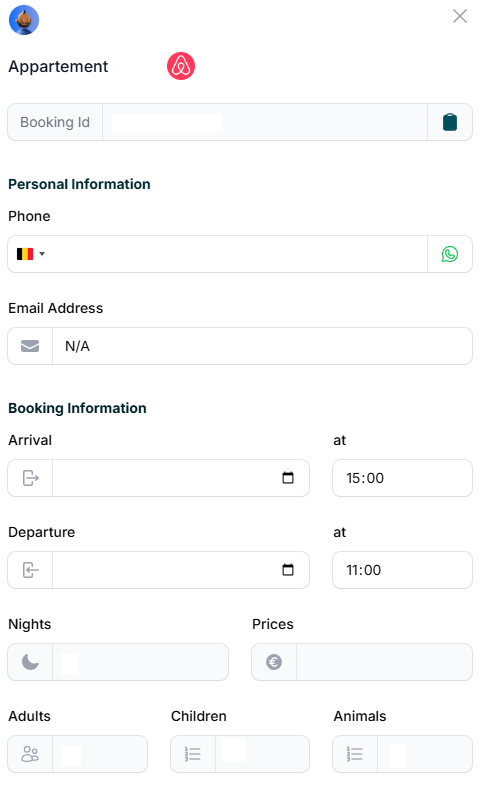
You can also update the guest’s personal information as well as their check-in and check-out times to keep everything accurate and up to date.