Follow this guide to sign up and start using InnovGuide today.
Step 1: Fill in General Information
To begin your registration, start by entering your basic information such as your name, email address, and phone number.
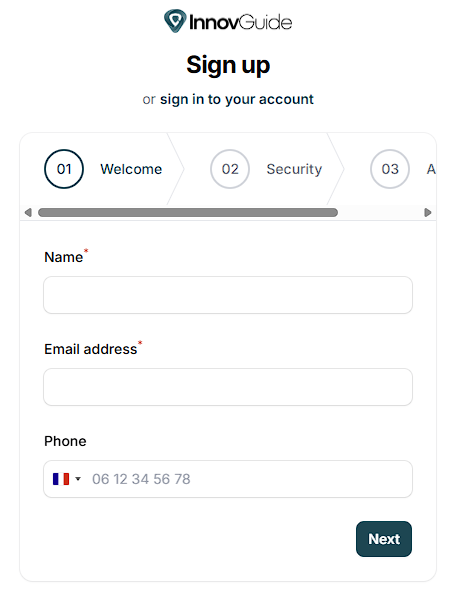
Make sure all required fields are filled in accurately before proceeding to the next step.
Step 2: Choose a Password
To create a secure password to protect your account, you password should include the next condition:
- Include at least 8 characters
- Combine uppercase and lowercase letters
- Include at least one number
- Add at least one special character (optional)
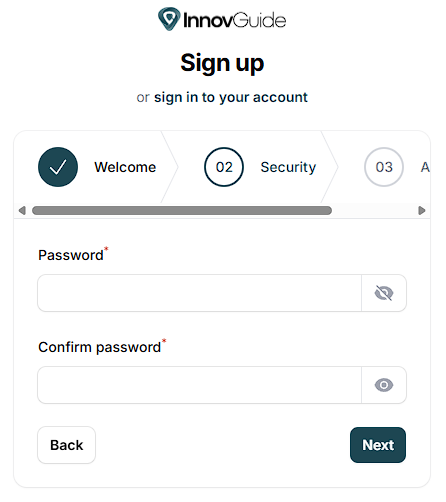
Once your password is set, you can move to the next step to complete your registration.
Step 3: Add Additional Information
In this step, you can add valuable details such as Company Name, Property Number, and Country to personalize your InnovGuide experience.
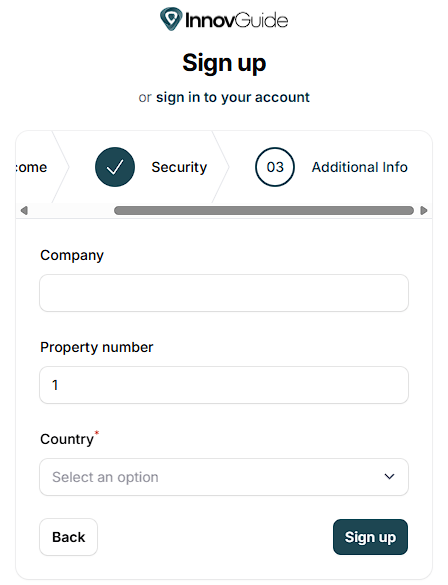
You’ll be able to complete and customize your profile further after the registration.
Take a look at our dedicated article to explore all available options: Update your General Information
Step 4: Explore Your Dashboard
Once you’ve completed your registration, you’ll be automatically redirected to your personal dashboard.
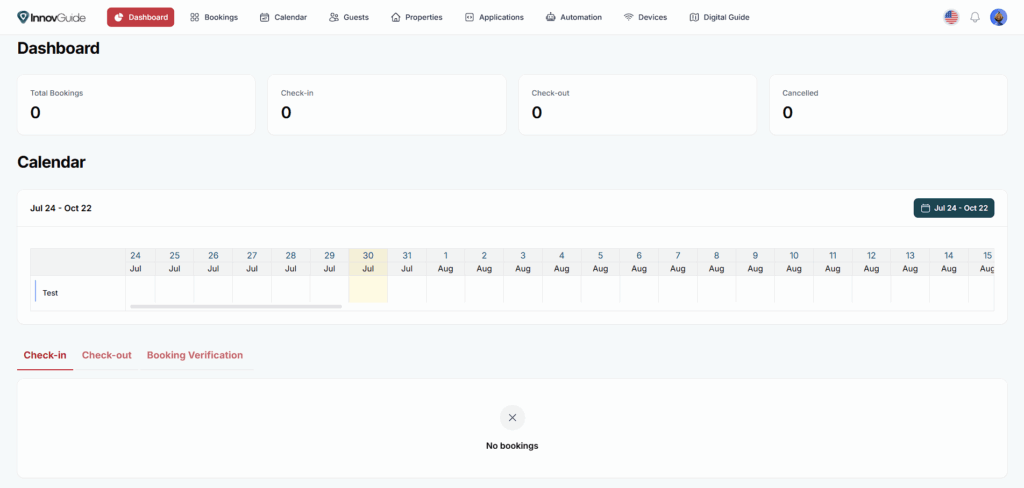
What You’ll Find on the Dashboard
Key Booking Metrics
- Total Bookings: All bookings registered on your properties.
- Check-in / Check-out: Number of upcoming check-ins and check-outs.
- Cancelled: Track how many reservations have been canceled.

These indicators help you stay informed and plan ahead efficiently.
Interactive Calendar View
The calendar shows a timeline of your property’s bookings over a selected period. It’s perfect for quickly spotting availability or identifying busy periods.

Interact with your calendar in several ways:
- Scroll through the timeline to explore upcoming dates.
- View bookings across multiple properties.
- Adjust the visible period using the date range picker.
Check-in, Check-out, and Booking Verification Tabs
Below the calendar, you’ll find three focused sections:
- Check-in: List of guests arriving soon.
- Check-out: Guests leaving today or soon.
- Booking Verification: For ensuring all bookings are valid and synced.

These tabs allow you to manage your daily tasks without getting overwhelmed.
For each item on the dashboard, helpful articles are available to guide you through your InnovGuide onboarding: