

Easily create a personalized FAQ section to address common questions your guests may have during their stay. This helps reduce repetitive inquiries and ensures a smoother experience for both you and your guests.
Add a New Question to Your FAQ
To add a new question to your FAQ, click on “+ New Item”.
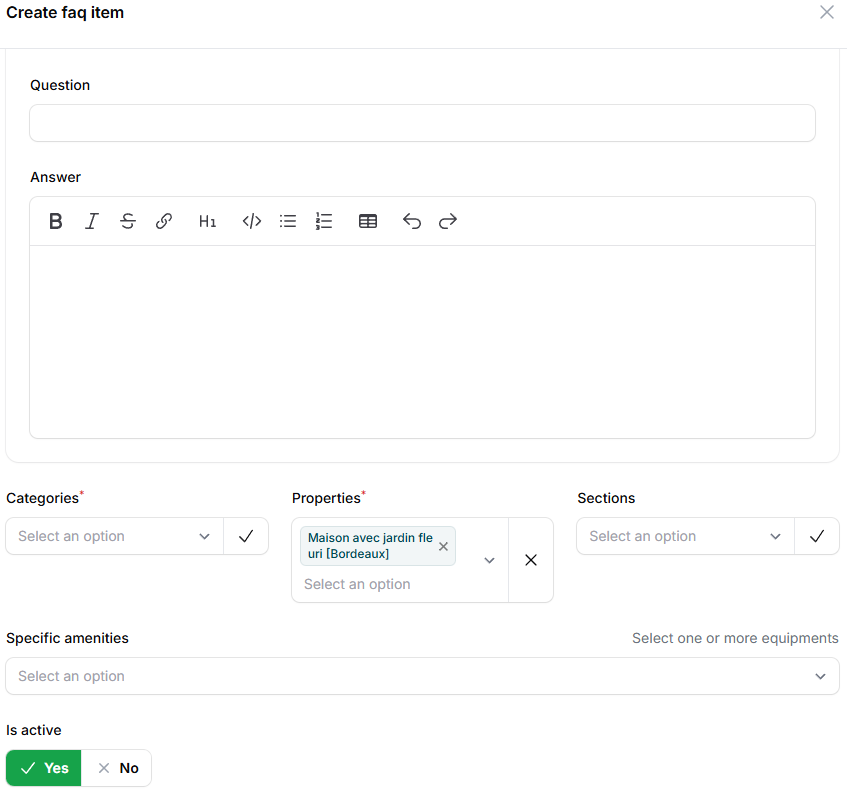
You’ll then be able to write a frequently asked question along with its appropriate answer. To make it easier for you and your guests to find the relevant information, you can apply filters to each question. These filters allow the content to be sorted and organized by:
- Categories: What the question is about (Public Transport, Cancellation Policy).
- Properties: The property the question refers to.
- Sections: The part of the guide concerned (House Rules, Amenities, Arrival & Departure Instructions).
You can also link the question to specific amenities if it is relevant. If needed, you can deactivate the FAQ item at any time, either from the Edit or Create faq item tab or simply by clicking on the green check button.
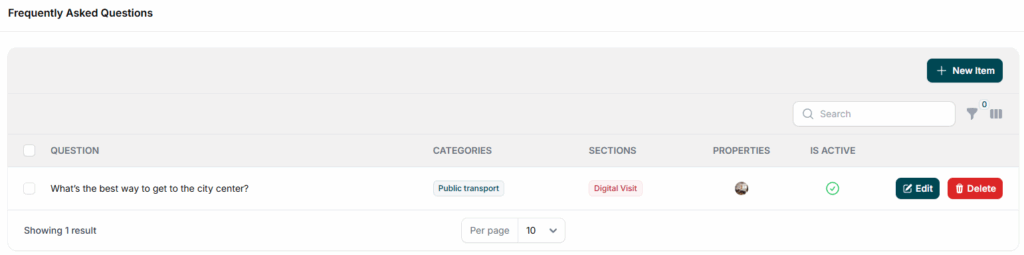
Review your FAQ entries in the Help tab, under the FAQ section. Your FAQ items will also appear in the section you choose. For example, if you put an FAQ entry in Digital Visit, ,you will be able to see at the end of the Digital Visit page.
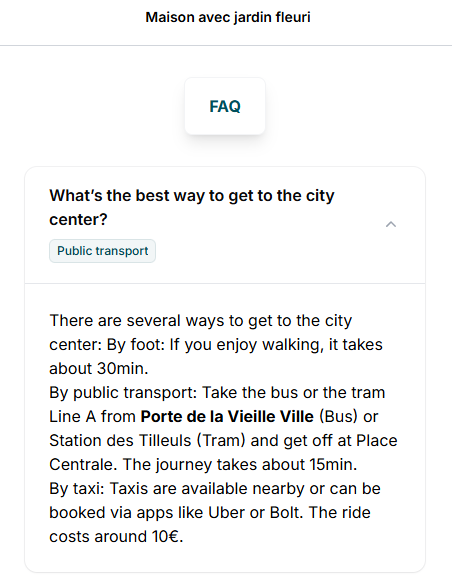
With just a few steps, you can build a helpful and well-structured FAQ that enhances your guests’ experience and keeps your communication clear and efficient.