

Whether it’s sharing the door code, parking details, or check-out reminders, everything can be set up in advance to ensure a smooth, stress-free stay for both you and your guests.
In this guide, we’ll walk you through how to customize these essential steps and automate the right messages at the right time.
Digital Guide dashboard
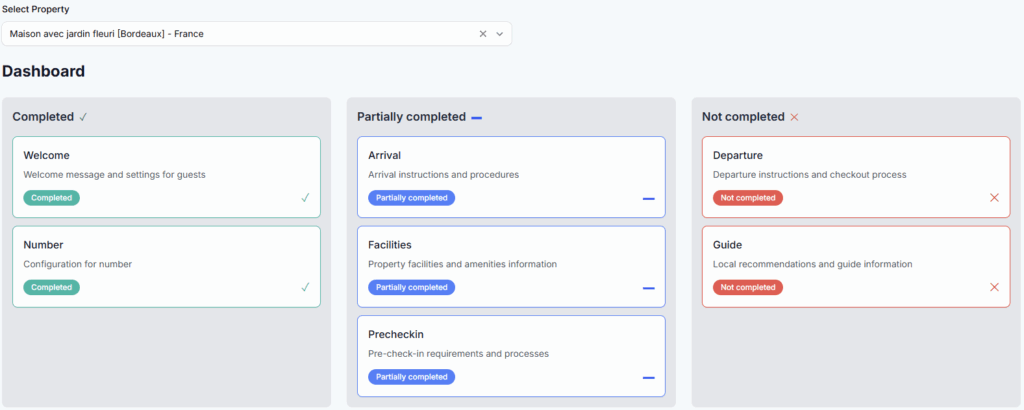
When you open the Digital Guide tab, you’ll land on a dashboard that shows all the information currently shared with your guests, as well as any missing details you may want to complete.
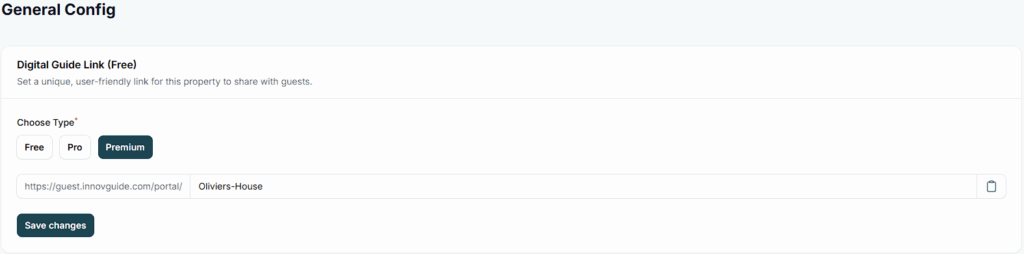
Share the link of you guide with your guests
Easily share a customized link with your guests so they can access your property guide in just one click.
Arrival and Departure Instructions for Your Customers
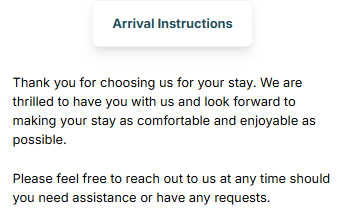
- Go to Arrival > Arrival Instructions
Write a short introduction in the text area to welcome your guests and give them a quick overview before they read the full instructions.
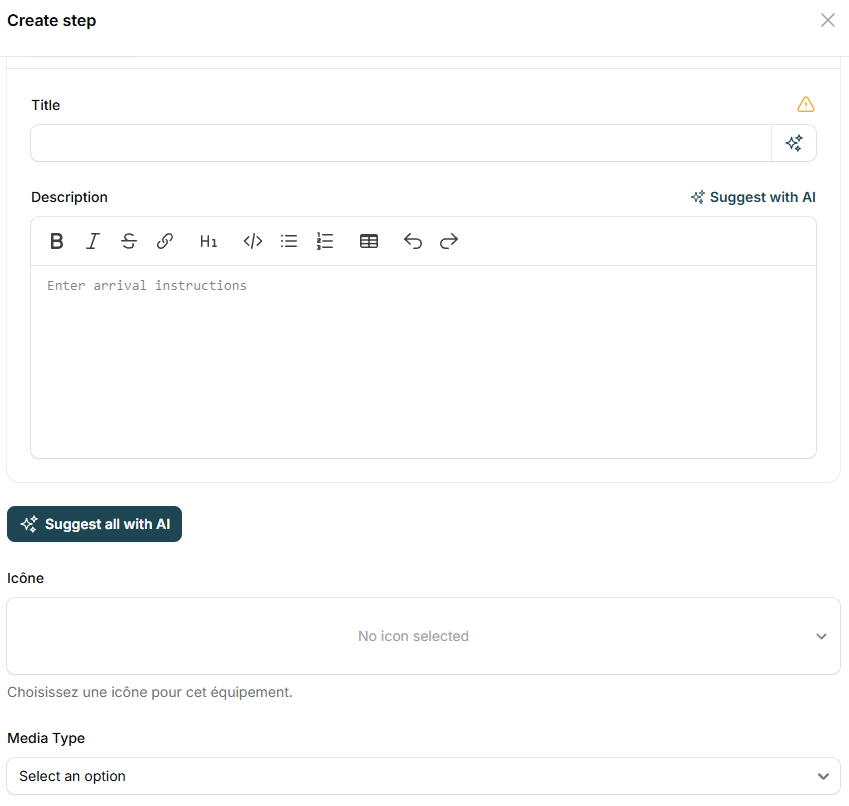
To create detailed arrival instructions, use the “Arrival Multisteps” section.
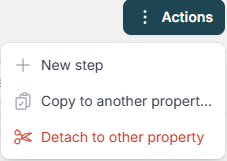
Click on “Actions” and select “New Step” to add each instruction.
Make each step clear and friendly by adding a title and a short description.
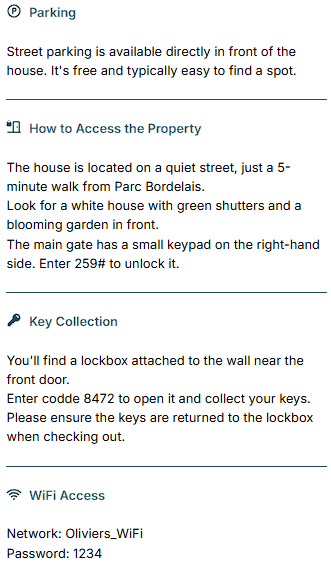
You can also upload icons or photos to make your instructions more visual and easy to follow!
Here’s an example of what you can create:
Just like the Arrival Instructions section, you can create clear step-by-step instructions to guide your guests for the Departure process and ensure a smooth check-out experience.
You can review and edit your departure instructions by going to Departure > Instructions in the guide.
Preview your configured steps
Once your instructions are completed, you can preview how they will appear to your guests. This gives you a clear view of the final result and allows you to make adjustments if needed.
- Go to Properties
- Copy the guide link of your property
- Open the guide on a new page
- Go to Arrival
Configure Your Virtual Tour
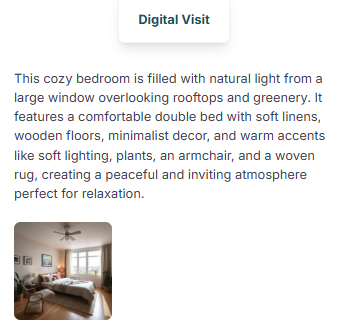
All the photos of your property will display in your guide for your guests.
Use the “Digital Visit” section in the Digital Guide to showcase these images with engaging descriptions, allowing your visitors to explore your space virtually and get a true feel of the experience you offer.
Define Your House Rules
You can set clear rules to provide a transparent experience for your guests. These rules can cover important details such as:
- Check-in and check-out times
- Pets policy
- Smoking guidelines
- Party restrictions
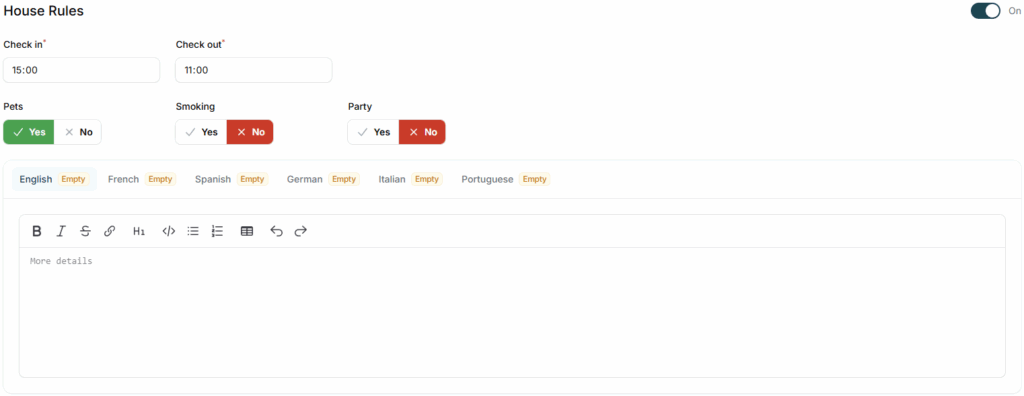
If you feel something is missing, you can always add it in the description text.