Learn about your InnovGuide account overview and settings.
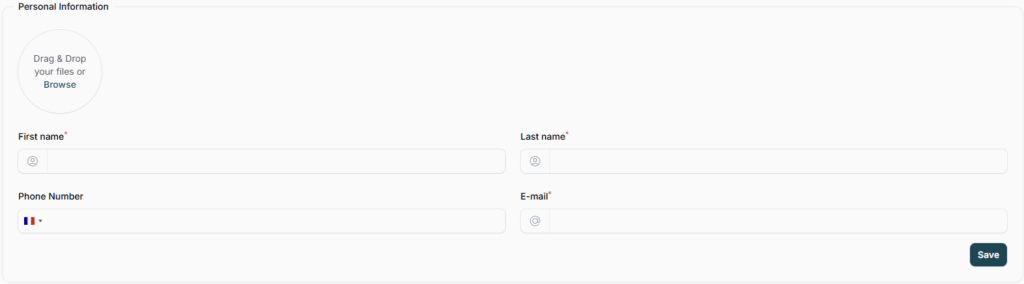
Fill in your Personnal Information
In the Profile section of the Settings tab, you can enter your personal contact details so your clients know how to reach you, whether by email or phone.
Provide Your Business Information
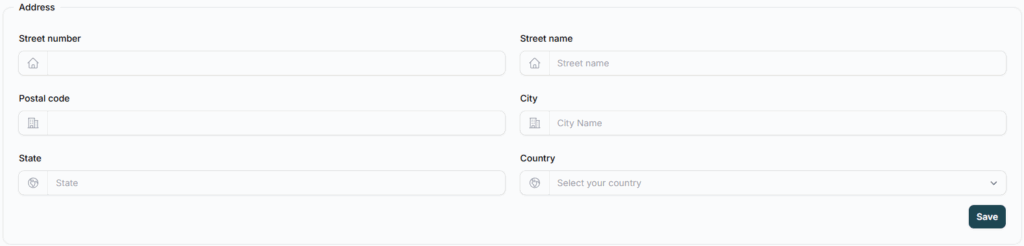
Similarly, you can provide your office address to let clients know where your office is located.
You can include the following details:
- Street Name and Number
- Postal Code
- City
- State
- Country
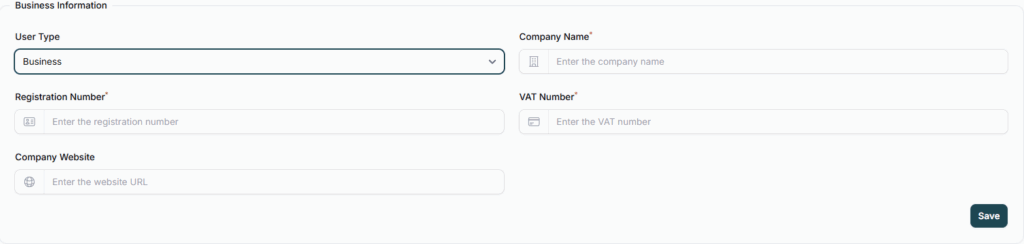
If you select “Business” as your user type, you’ll be prompted to provide key company details.
These help personalize your InnovGuide experience and ensure that your business is correctly identified on the platform.

Here’s what you can fill in:
- Company Name: The legal name of your business.
- Registration Number: Your official business registration or company number.
- VAT Number: The VAT identification number for your company.
- Company Website: A link to your company’s website (optional, but recommended).
The “Individual” option doesn’t require you to fill in specific company details. It’s the most common choice for users who don’t yet have a registered business.