

A Digital Guide is an interactive, online resource that provides your guests with everything they need to know about your property, accessible anytime, from any device.
It includes practical details like check-in instructions, Wi-Fi access, and house rules, along with personalized touches such as equipment guides, local recommendations, and photos of your space. Instead of sending dozens of messages, you can offer your guests a smooth and professional experience through one centralized guide.
With InnovGuide, your digital guide is automatically generated from the property details you provide, no extra work required. You can customize it, add translations, and even include photos to make it truly guest-friendly.
Why Use a Digital Guide?
Here’s how a digital guide can transform your guest experience:
- Simplify arrivals: Share check-in instructions, door codes, and parking access without back-and-forth messages.
- Answer questions before they’re asked: Include essential info like WiFi passwords, appliance guides, and house rules.
- Recommend the best local spots: Suggest restaurants, sights, or activities nearby, depending on your guest’s interests and location.
- Reduce support requests: Guests feel more confident and self-sufficient with clear instructions and resources at their fingertips.
- Save time: Automate messages and updates, no need to repeat the same info for each guest.
- Multilingual Support for Global Guests: Customize your guide with multiple languages to welcome guests from around the world and help them feel right at home.
Elevate your guest experience effortlessly with InnovGuide, your all-in-one Digital Guide for seamless, personalized stays. So don’t wait, start impressing your guests today!
How to access your guide
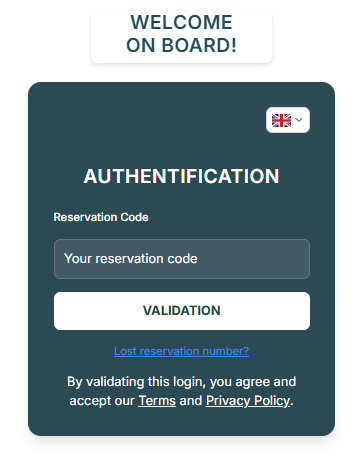
Users can share the guide with their guests in several ways: by copying a direct link, displaying a QR code available in the Properties section, or allowing guests to enter their reservation code in the authentifaction page.
Get to Know the Interface
This is the dashboard your guests will see.
It provides access to all the features included in the guide. Guests can view key information such as check-in and check-out times, the property’s address, and its location displayed on an interactive map via API integration.
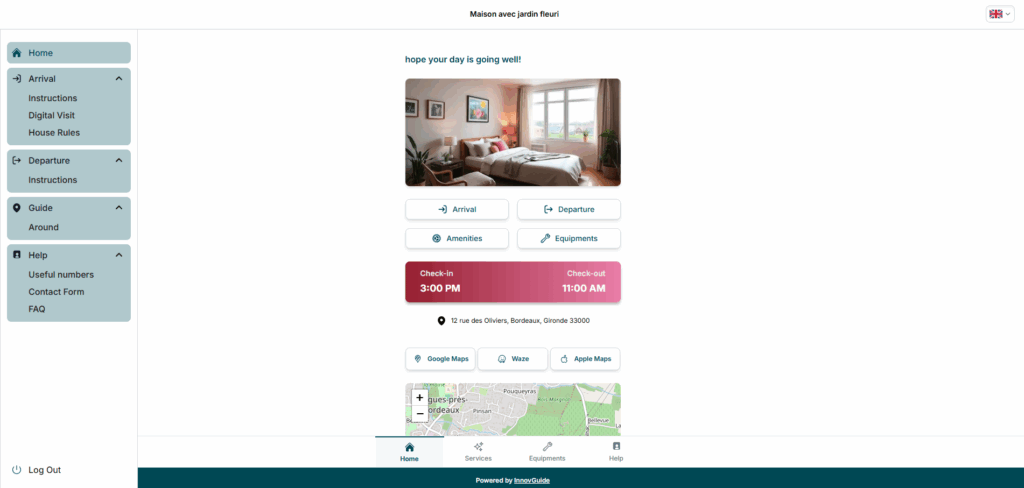
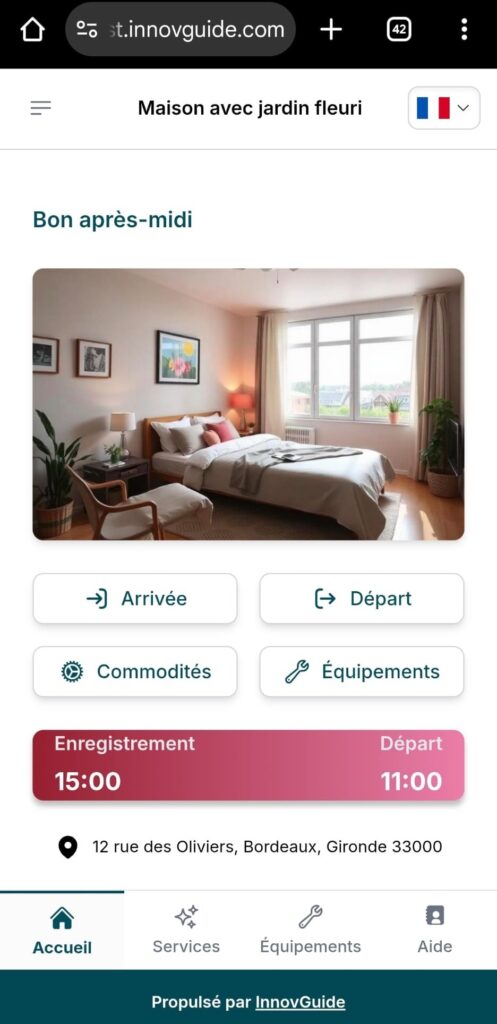
They can also create an itinerary using Google Maps, Waze, or Apple Maps for easy navigation. Additionally, the dashboard offers quick access to essential features like amenities, arrival and departure instructions, and more.
Arrival and Departure
The Arrival section in InnovGuide helps you give guests a smooth, stress-free check-in by providing clear instructions for before and upon arrival. You can offer a warm first impression through engaging descriptions and quality photos in the Digital Visit, and clearly outline key policies in the House Rules so expectations are set and your property is respected throughout their stay.
To learn how to set all this up, refer to this article: Simplifying the Check-in and Check-out for Your Guests
Guide
This might be the most important page of your guide, as it is where your customers can find the activities they will do during their stay. Therefore, you should recommend activities they might enjoy so that they can be highlighted at the top of the page.
Here is an article to learn how to do it: How to Add and Organize Guest Recommendations
Help
The Help section brings together all the essential information your guests may need, from emergency contacts like plumbers, electricians, hospitals, police, and fire services to a contact form for direct requests. An FAQ answers common questions, ensuring guests always feel supported and reassured during their stay.
Want to add this to your guide? Look at our dedicated article to set it up: Make It Easy to Connect: Add Contact Information to Your Guide
Explore all our collection of articles to discover everything you need to know about customizing your Digital Guide. You’ll also find a step-by-step tutorial to help you create your own from scratch: Getting Started: Create Your Own Digital Guide.